You do not need a scanner, a technical staff member, or a budget line to start using 3D in your collection. You can begin this afternoon with free models that already exist, and grow toward scanning your own objects when you are ready. This guide walks through every step, and links to deeper tutorials for each one.
The model below is a real photogrammetry scan of a sacred ibis mummy we captured for a Cornell University collaboration. Rotate it, zoom in, and look at the surface detail. This is the kind of object a small institution can put on its website and in its classrooms.
Sacred Ibis Mummy: an interactive 3D scan
A real photogrammetry capture of an ancient Egyptian sacred ibis mummy, scanned for a Cornell University research collaboration. Use your mouse or finger to rotate, zoom, and explore the surface detail.
Loading 3D Model...
0% Complete
This story appeared in the Smithsonian, Nature, and CNN, and it started as a single scan. You can read how we built it later. First, here is how to get started yourself.
Start today with free 3D model libraries
The fastest way to bring 3D into your programming is to use models other institutions have already scanned and released for free. Thousands of museum-quality objects are ready to download, view, or print right now.
Scan the World
A free, open library of over 16,000 3D-scanned cultural artifacts, prepared for printing. Great for tactile education. See our full guide to using Scan the World, or browse the full collection.
Smithsonian Open Access
Hundreds of high-resolution national treasures, most released under CC0 for any use. Read how the Smithsonian did it, then explore 3d.si.edu.
Sketchfab
The largest catalog of 3D models on the web, with a dedicated cultural heritage program and models from museums worldwide. Many are free to download and embed.
MorphoSource
An academic repository of 3D scans of biological and cultural specimens, hosted by Duke University. Strong for natural history and research collections at morphosource.org.
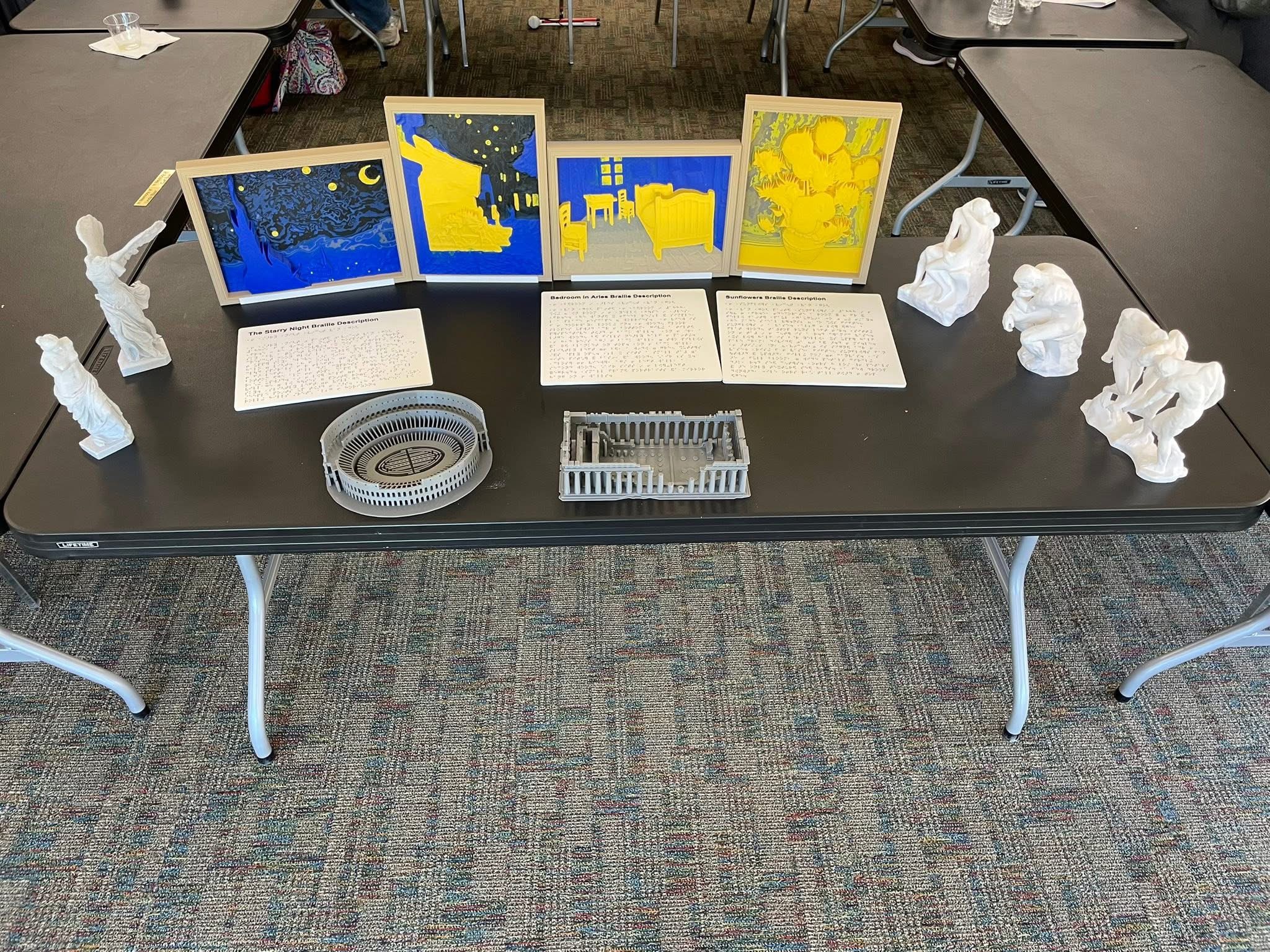
The sculptures are printed from free, open-source 3D models. The raised-relief paintings are our own original Contour Canvas panels, and the braille panels were generated with our free braille panel tool.
Before you reuse a model, check its license. Smithsonian Open Access models are mostly CC0, meaning no restrictions. Scan the World and Sketchfab models vary, so look for the license on each model's page. When in doubt, credit the source institution.
How 3D scanning actually works
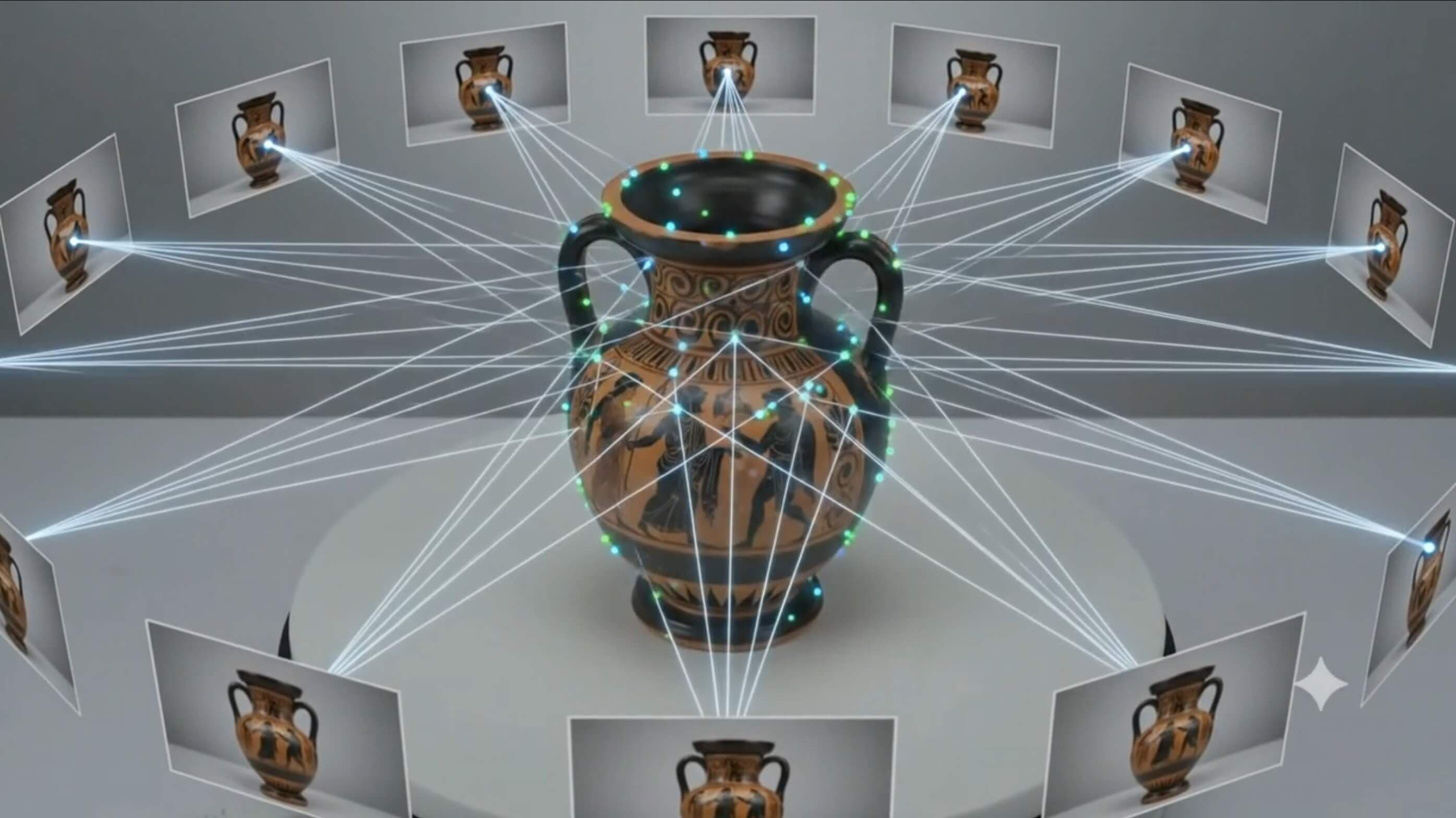
When you are ready to capture your own objects, the most accessible method is photogrammetry. You take many overlapping photographs of an object from every angle, and software reconstructs an accurate 3D model from them. You can start with a smartphone and free software, which makes it realistic for a small institution with no specialized equipment.
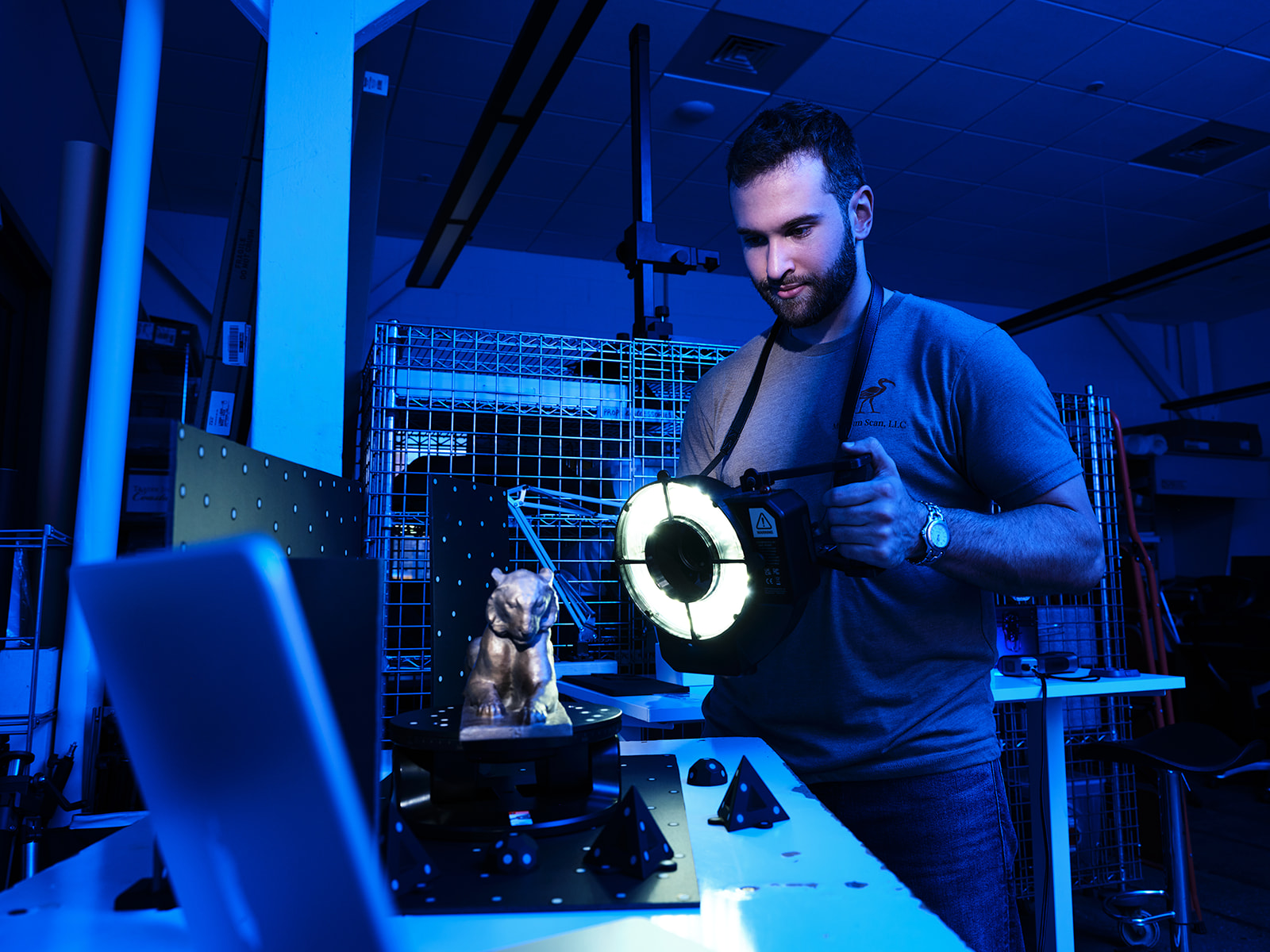
Photogrammetry captures an object with overlapping photos, so nothing ever has to touch the artifact.
To go deeper on the method and its options:
- Photogrammetry for Cultural Heritage: a plain-English explanation of how the process works.
- Using scanning spray on reflective or dark objects: how to handle surfaces that photogrammetry struggles with.
- Gaussian splats for museums: a newer capture technique that renders scenes with striking realism.
Choosing what to scan first
Not every object is a good first candidate. Matte, textured, and rigid objects scan easily. Shiny, transparent, and very thin objects are harder. Beyond the technical fit, the objects worth digitizing first are the ones that will actually get used in exhibits, teaching, and outreach.
We wrote a dedicated guide on this decision: How to Select Objects in a Collection for 3D Scanning. It covers the technical, curatorial, and audience factors that should drive your shortlist.
Two free downloads to plan with: our 3D Tool List (the scanners, cameras, and software we recommend) and our Vendor Checklist (what to ask before hiring a scanning vendor).
Putting models on your website
A 3D model is far more engaging than a flat photo, and embedding one is easier than most people expect. If your site runs on WordPress or Webflow, you can add an interactive model without writing code. These step-by-step tutorials cover the common setups.
Sketchfab on WordPress
Embed an interactive 3D model on a WordPress page. Read the tutorial.
Sketchfab on Webflow
The same interactive embed, for a Webflow site. Read the tutorial.
Native AR on WordPress
Let visitors place your object in their own room, in augmented reality, from their phone. Read the tutorial.
Animated scans for web and AR
Turn a scan into a short animation for the web or AR. Read the tutorial.
3D printing your models
A digital model becomes a hands-on teaching tool the moment you print it. You do not need to own a printer to get started.
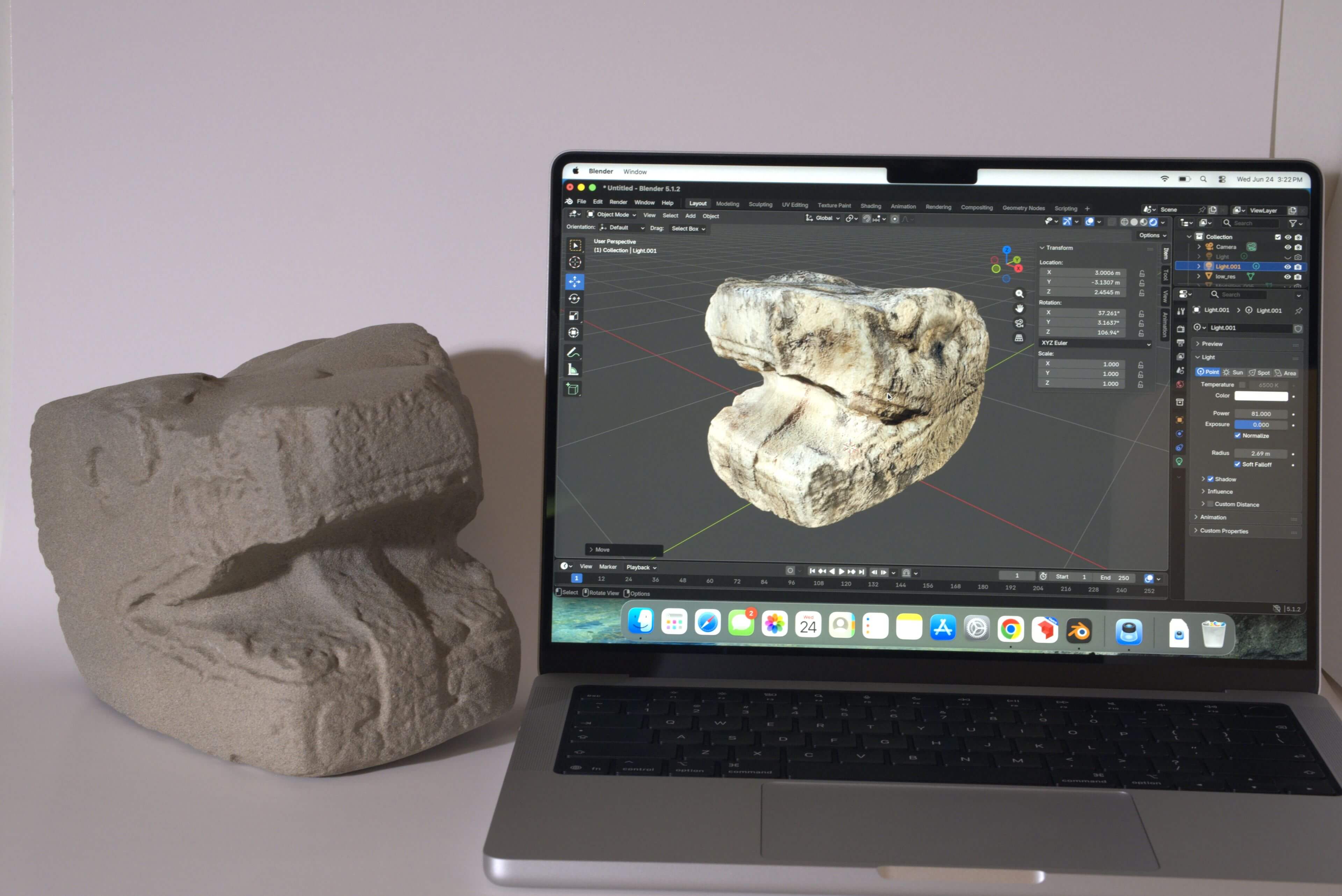
A scanned artifact and its 3D-printed replica, ready for a handling collection.
Where to print without buying a printer:
- Your public library. A growing number of libraries have 3D printers in their makerspaces and will print files for patrons at the cost of materials, often just a few dollars.
- Community and university makerspaces. Local makerspaces, hackerspaces, and college fabrication labs frequently offer public access or will run prints for a small fee.
- Online print-on-demand. Services like Craftcloud take your file, quote it across a network of print shops, and ship the finished part to you.
Downloaded scans and research captures sometimes need cleanup before they will print cleanly. Our guide to repairing a 3D scan for high-resolution printing walks through fixing holes and preparing a watertight model.
Accessibility and tactile programs
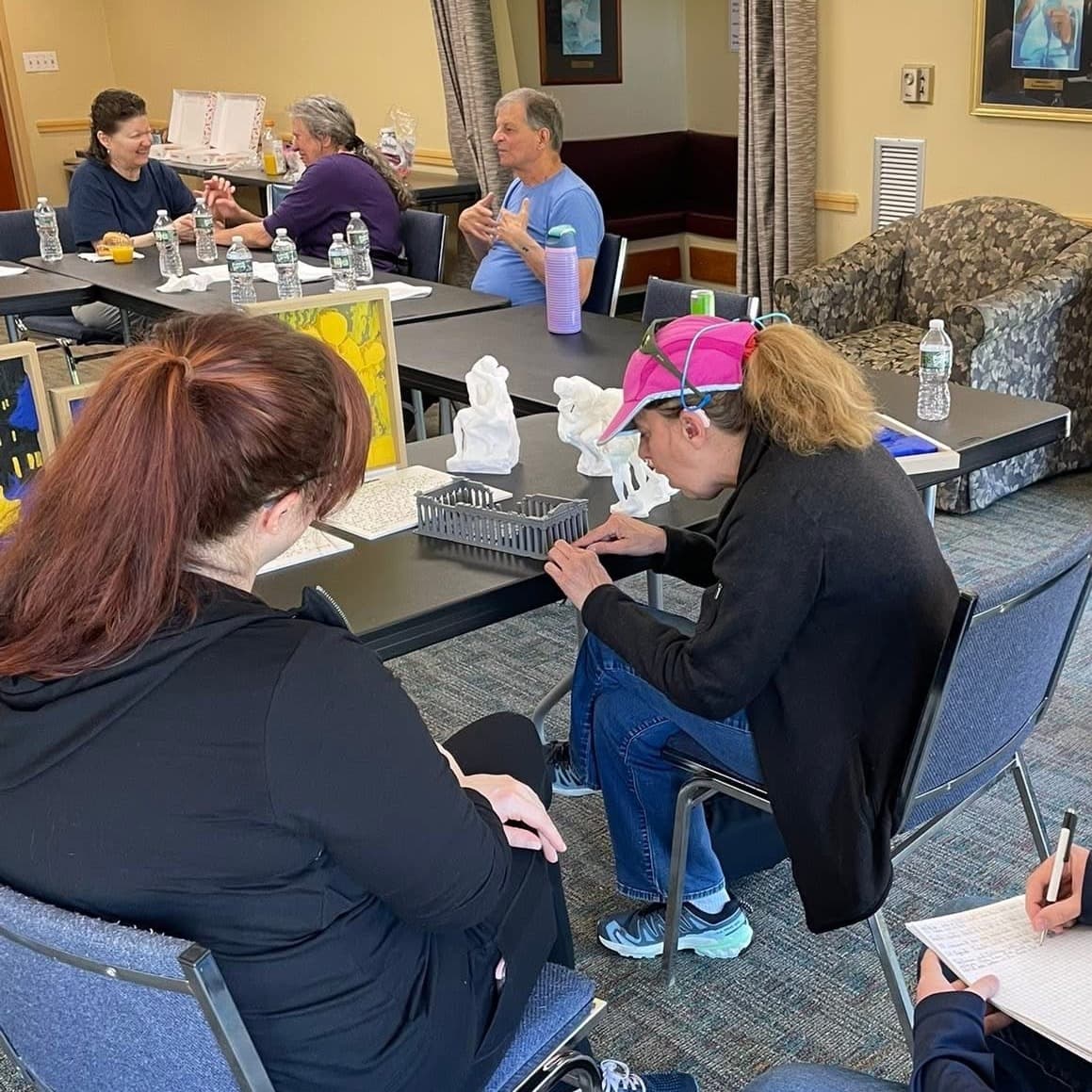
For libraries and museums, 3D is a direct path to more inclusive programming. Printed replicas let visitors who are blind or low vision experience objects by touch, and tactile panels make two-dimensional art accessible.
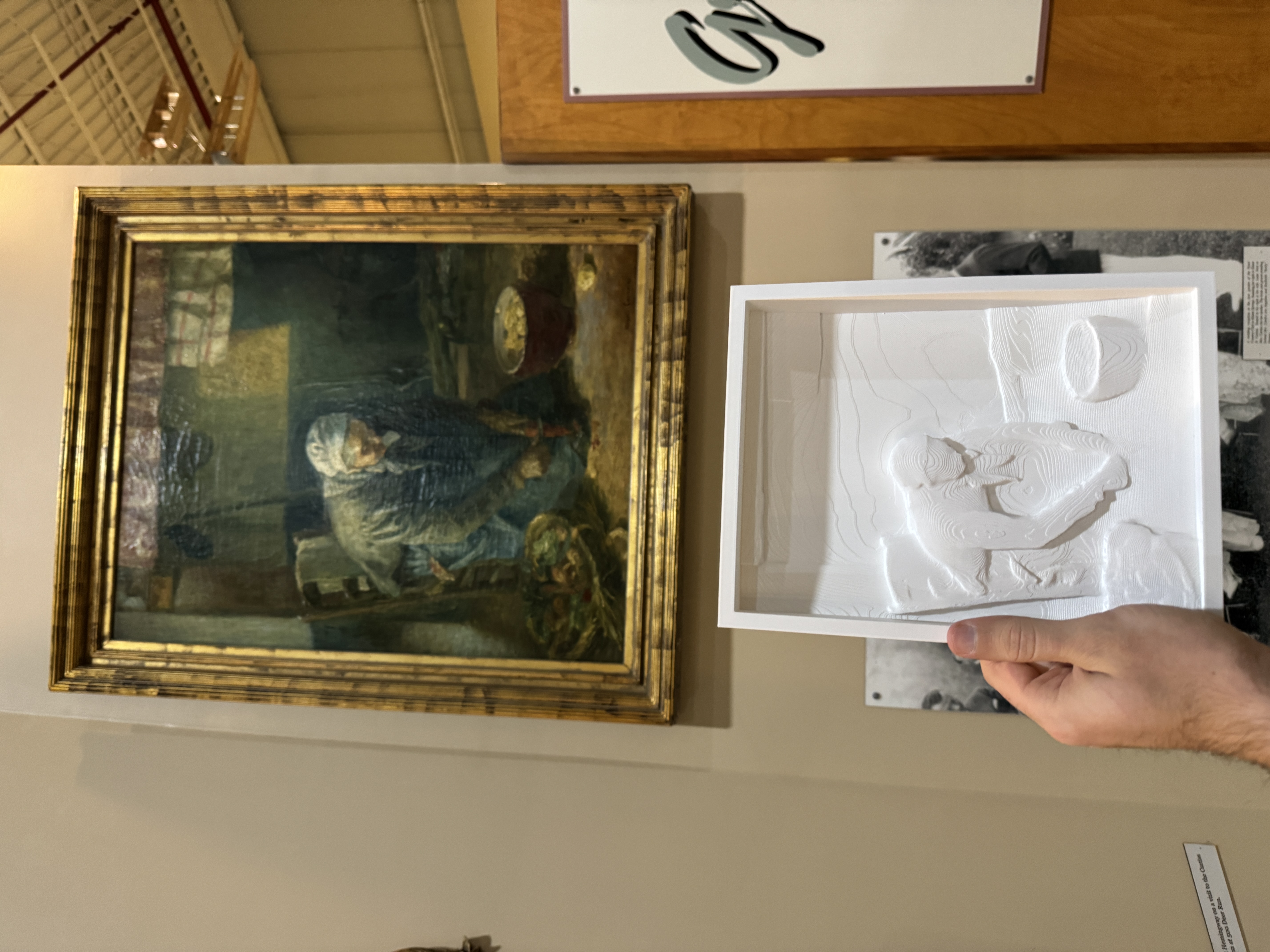
A Contour Canvas raised-relief panel makes a two-dimensional painting readable by touch.
- Contour Canvas: raised-relief panels that translate paintings into touchable surfaces.
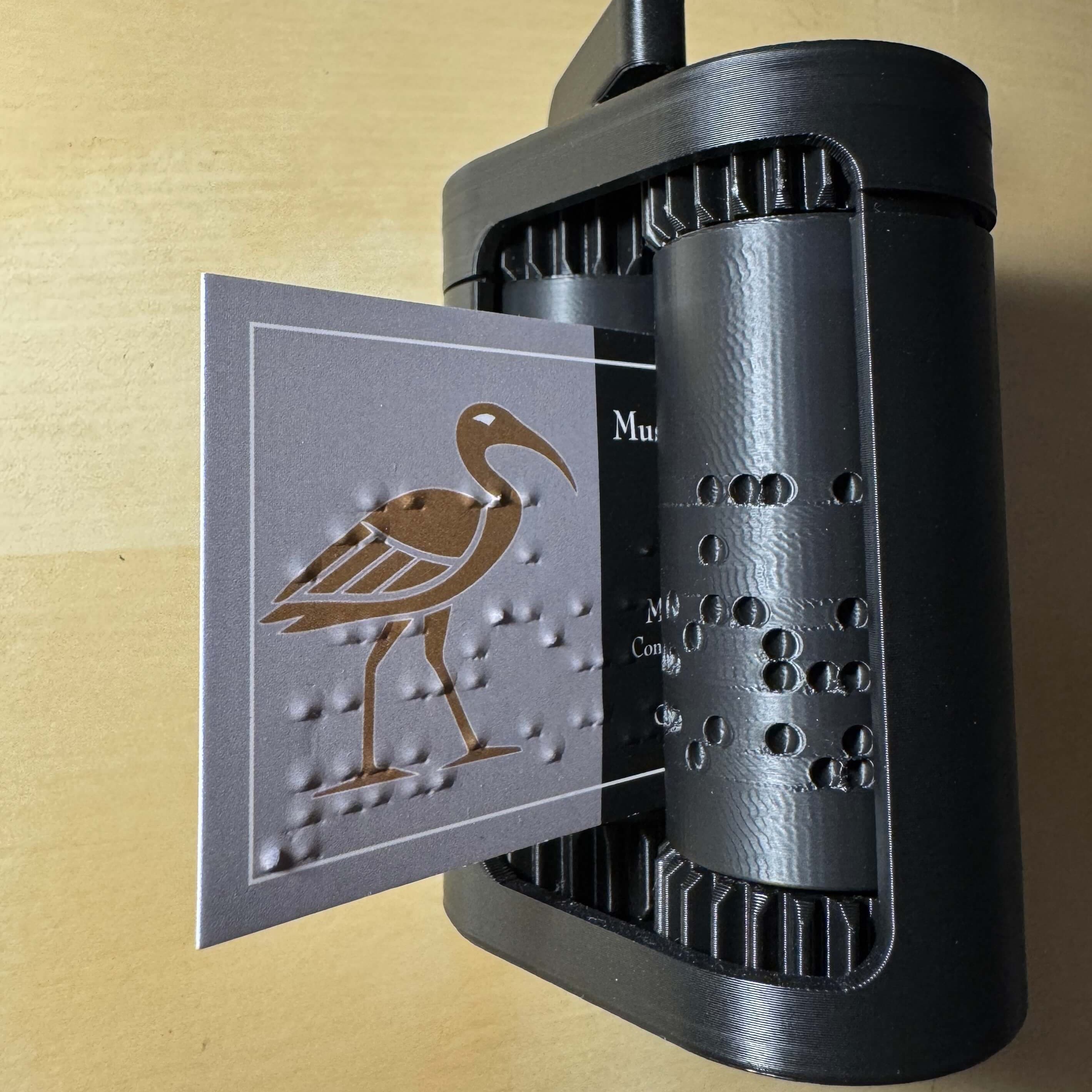
- Free braille business card generator: a free tool to create braille labels and cards.
- Free braille description panel generator: build printable braille description panels for objects and exhibits.
Funding your project
Many of the free options above cost nothing beyond staff time and a few dollars of filament. When you are ready to fund scanning, printing, or a website upgrade, there are grants aimed squarely at digital access and collections care. We keep a running list of relevant opportunities on our grant resources page.
Protecting your models
If you publish scans of valuable objects, it is worth understanding your options for watermarking, resolution control, and licensing before you post. Our guide to 3D scanning security covers how to share models publicly while protecting the underlying data.
Frequently asked questions
Where can I get a 3D model printed?
Start with your local public library. Many now have 3D printers in a makerspace and will print files for patrons at the cost of materials. Community makerspaces and university fabrication labs are the next option, and often welcome cultural and educational projects. If you want a finished part shipped to you, an online print-on-demand service like Craftcloud will quote your file across a network of shops. For a durable handling-collection piece, filament (FDM) printing is inexpensive and tough. For fine display detail, resin (SLA) printing is sharper but more fragile.
Do I need to buy a 3D scanner to start?
No. You can begin with free models from Scan the World, the Smithsonian, and Sketchfab, and never scan anything yourself. When you do want to capture your own objects, photogrammetry works with a smartphone or camera and free software, so there is no scanner to buy.
What is the difference between photogrammetry and laser scanning?
Photogrammetry builds a model from overlapping photographs, captures color and texture well, and needs only a camera. Laser scanning measures geometry directly with a laser, which is very precise for shape but usually captures less color detail and requires dedicated hardware. For most library and small-museum projects, photogrammetry is the more accessible starting point. Our photogrammetry explainer goes deeper.
Are these models free to use?
It depends on the license. Smithsonian Open Access models are mostly released under CC0, which places no restrictions on use. Scan the World and Sketchfab models carry a range of licenses set by whoever uploaded them, so check each model's page. When a license requires attribution, credit the source institution.
How do I put a 3D model on my website?
If you use WordPress or Webflow, you can embed an interactive model with no code using a Sketchfab embed. We have step-by-step guides for WordPress and Webflow, plus a guide to adding native AR buttons so visitors can view objects in their own space.
Can visitors view models in augmented reality?
Yes. Modern phones can place a 3D model into the viewer's real surroundings through the browser, with no app to install. Our AR tutorial shows how to add that option to a web page.
What file formats will I get, and what are they for?
The three you will meet most often are GLB (for interactive web and AR viewers), STL (for 3D printing), and USDZ (for AR on Apple devices). A single scan can be exported to all of them.
Is 3D scanning safe for fragile or irreplaceable objects?
Photogrammetry is completely non-contact. It captures an object from photographs, so nothing ever touches the artifact and the object can stay within your own handling protocols the entire time.
How do we start with essentially no budget?
Pick one object your audience cares about, or a free model from Scan the World, and print it at your library makerspace for the cost of filament. Put a downloaded or scanned model on your website with a free Sketchfab embed. Every step in this guide has a zero-cost or low-cost version, and you can scale up only when the results justify it.
Keep exploring
Browse real interactive scans in our model library, read how we choose objects to scan, and find the slides and resource list from our library and museum talks on the talk resources page.